3. Plugin – De-installatie
1 min read
Stapsgewijze installatiehandleiding. Plugin – De-installatie. Behandelt download, installatie en initiële configuratie.
Stapsgewijze handleiding
1
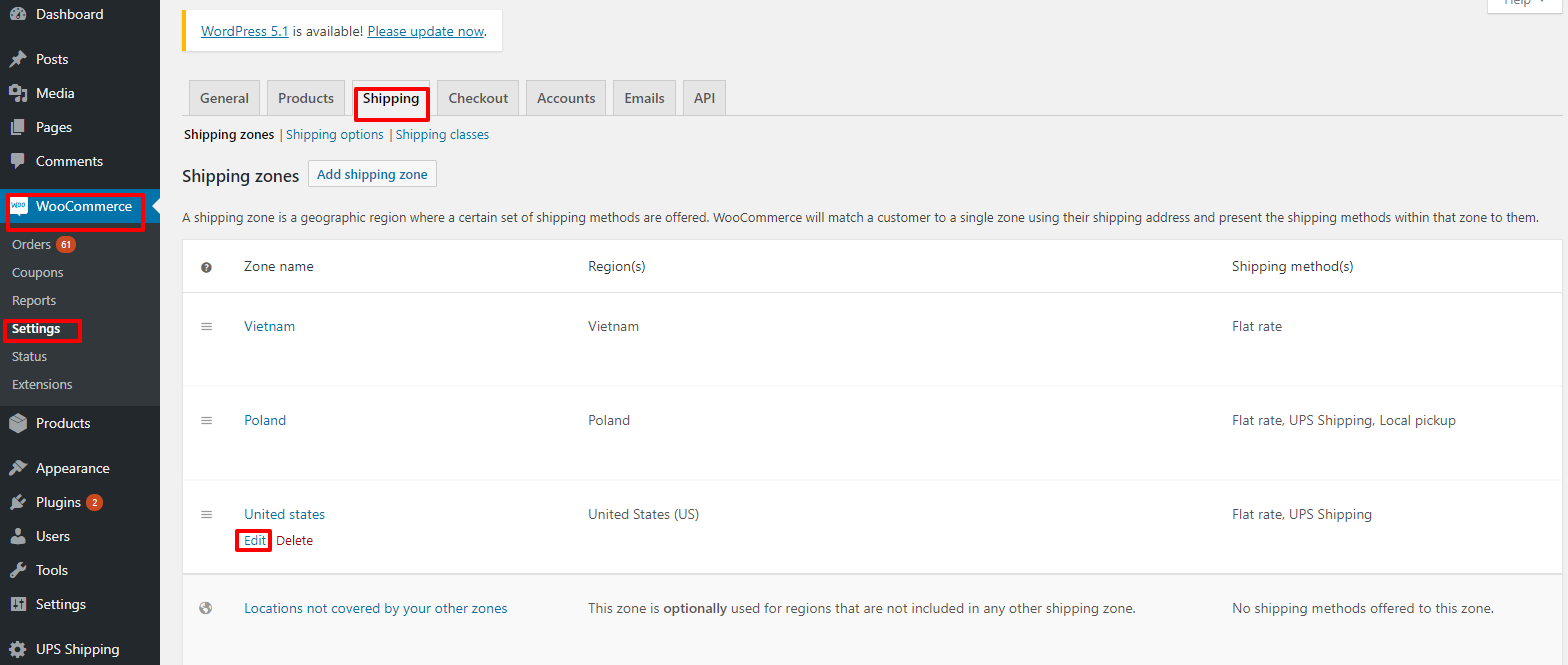
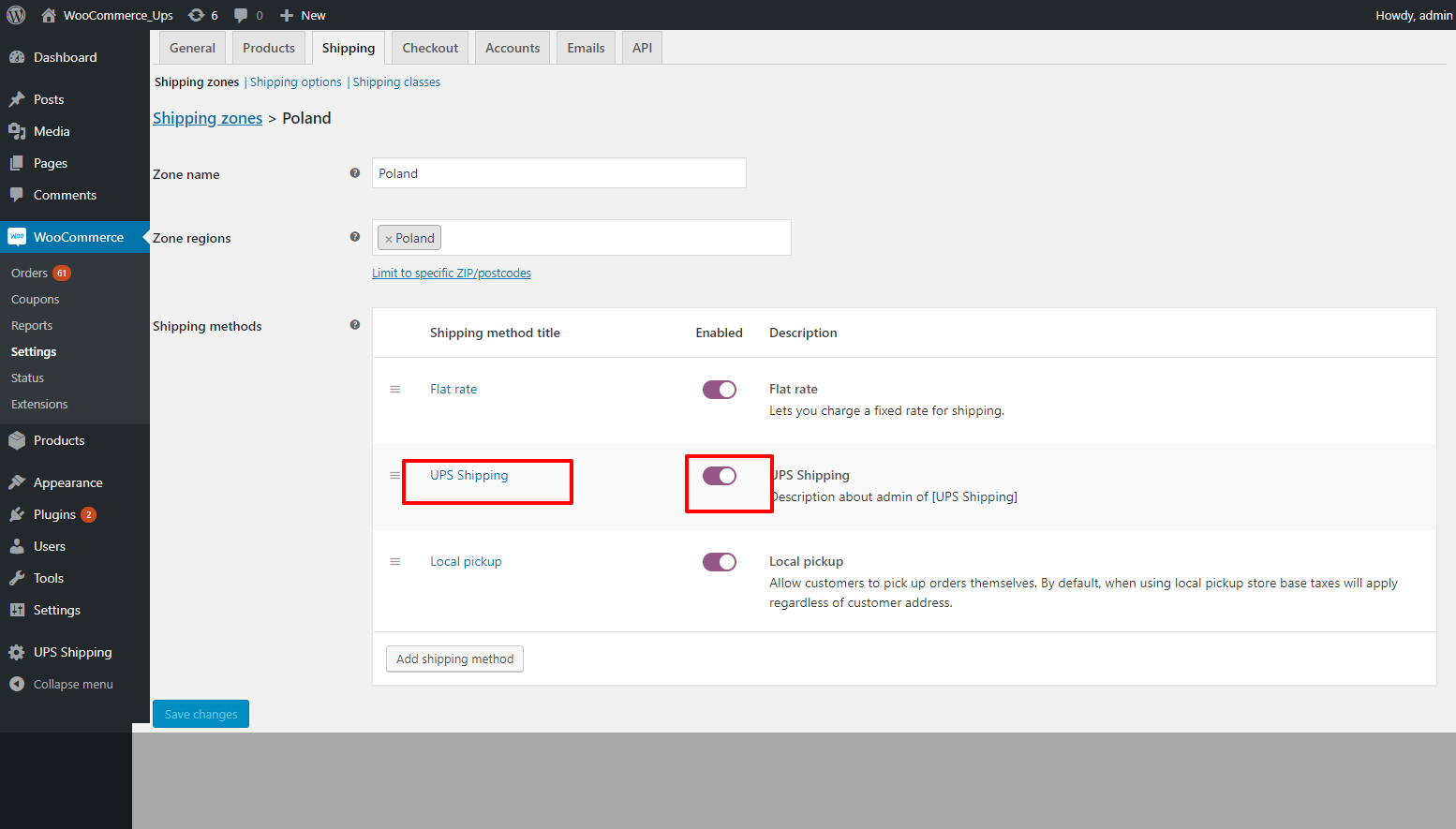
2. Deactiveer de UPS Shipping plugin in de voorkant.
• Go to "WooCommerce" -> "Setting" -> "Shipping" -> "Edit" by zone name. Figure 22 – Edit by zone name Figure 23 – Activate plugin

2
3. De-installeer de UPS Shipping plugin.
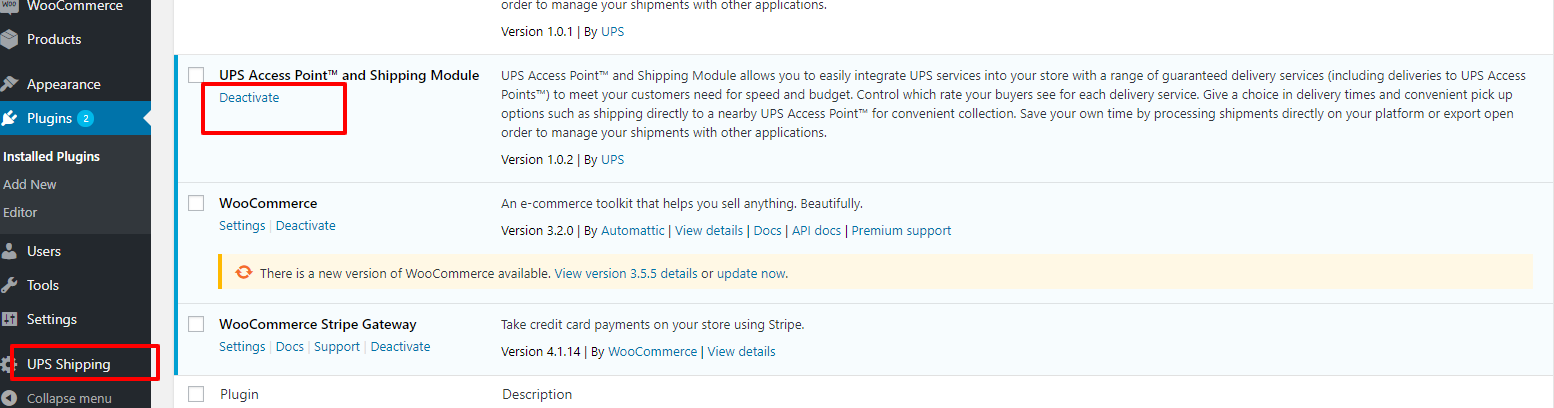
Login to the WordPress system, go to the plugin page, and click on "Deactivate" on the UPS Shipping plugin.
2.1
Login to the WordPress system, go to the plugin page, and click on "Deactivate" on the UPS Shipping
Login to the WordPress system, go to the plugin page, and click on "Deactivate" on the UPS Shipping plugin.
2.2
Then click “Delete”
Then click “Delete”