3. Plugin – Uninstallation
1 min read
Step-by-step installation guide. Plugin – Uninstallation. Covers download, setup, and initial configuration.
Step-by-Step Guide
1
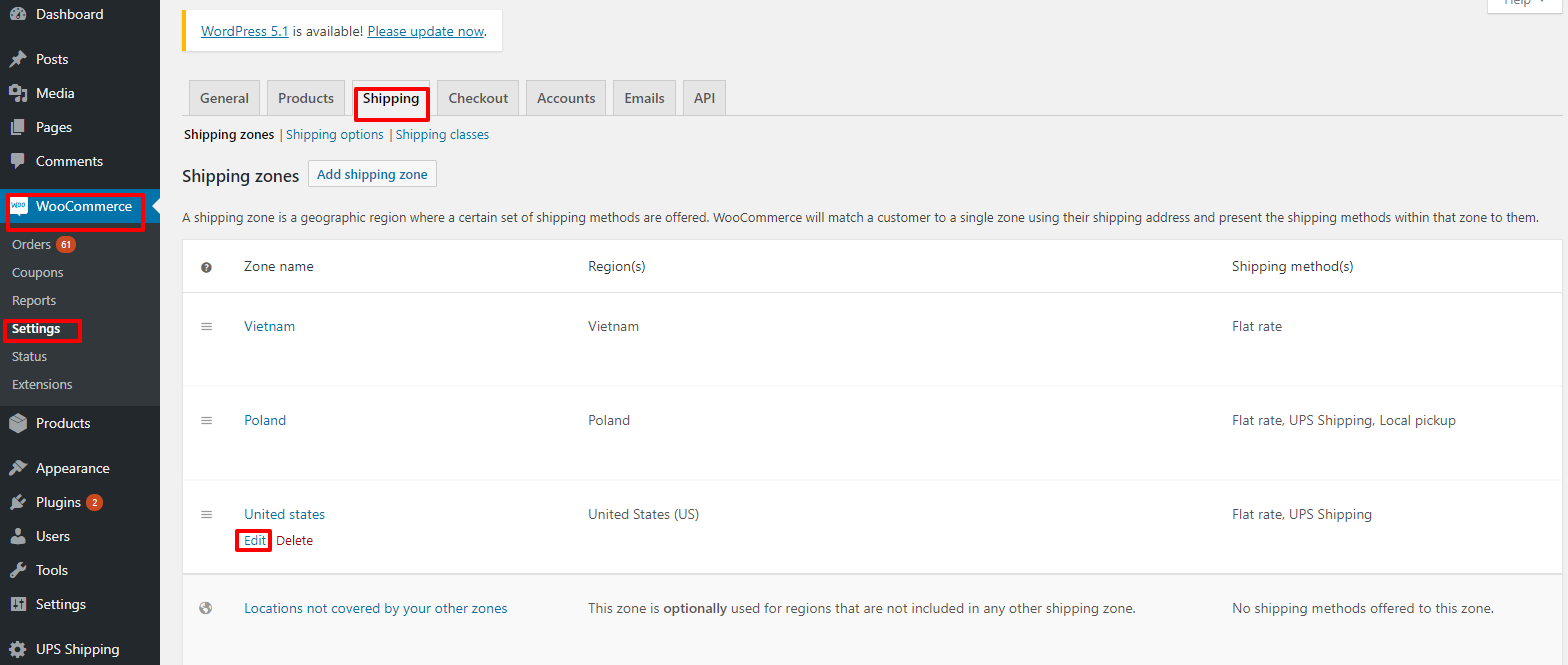
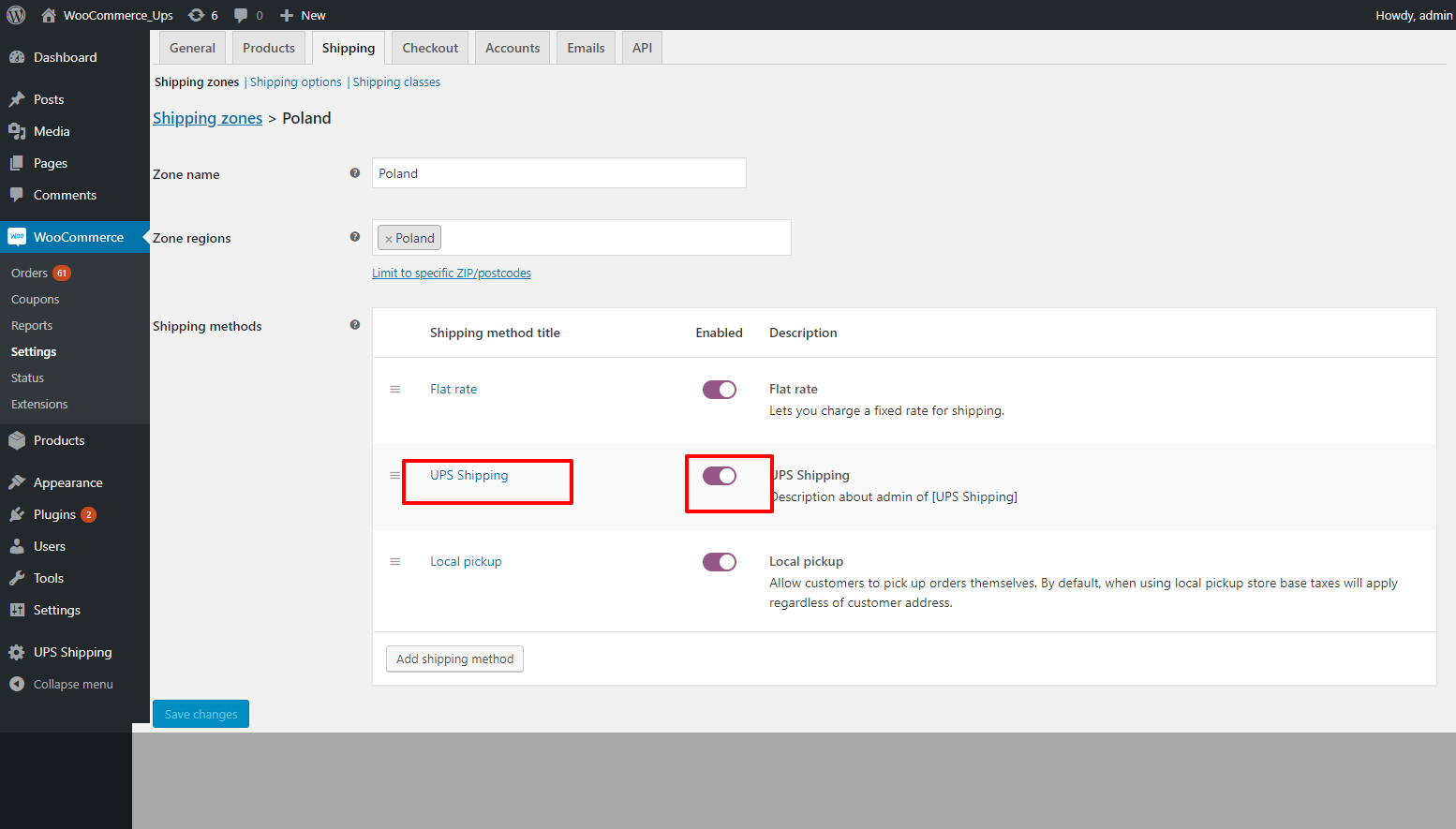
2. Disable the UPS Shipping plugin in Front office.
• Go to "WooCommerce" -> "Setting" -> "Shipping" -> "Edit" by zone name. Figure 22 – Edit by zone name Figure 23 – Activate plugin

2
3. Uninstall the UPS Shipping plugin.
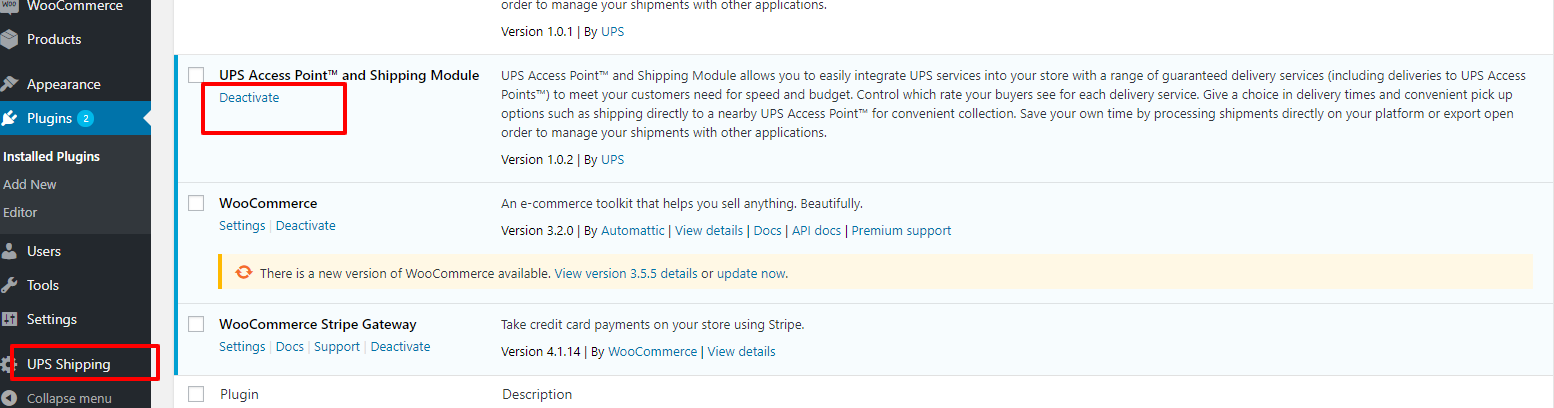
Login to the WordPress system, go to the plugin page, and click on "Deactivate" on the UPS Shipping plugin.
2.1
Login to the WordPress system, go to the plugin page, and click on "Deactivate" on the UPS Shipping
Login to the WordPress system, go to the plugin page, and click on "Deactivate" on the UPS Shipping plugin.
2.2
Then click “Delete”
Then click “Delete”