3. Plugin – Desinstalación
1 min read
Guía de instalación paso a paso. Plugin – Desinstalación. Cubre descarga, configuración y configuración inicial.
Guía paso a paso
1
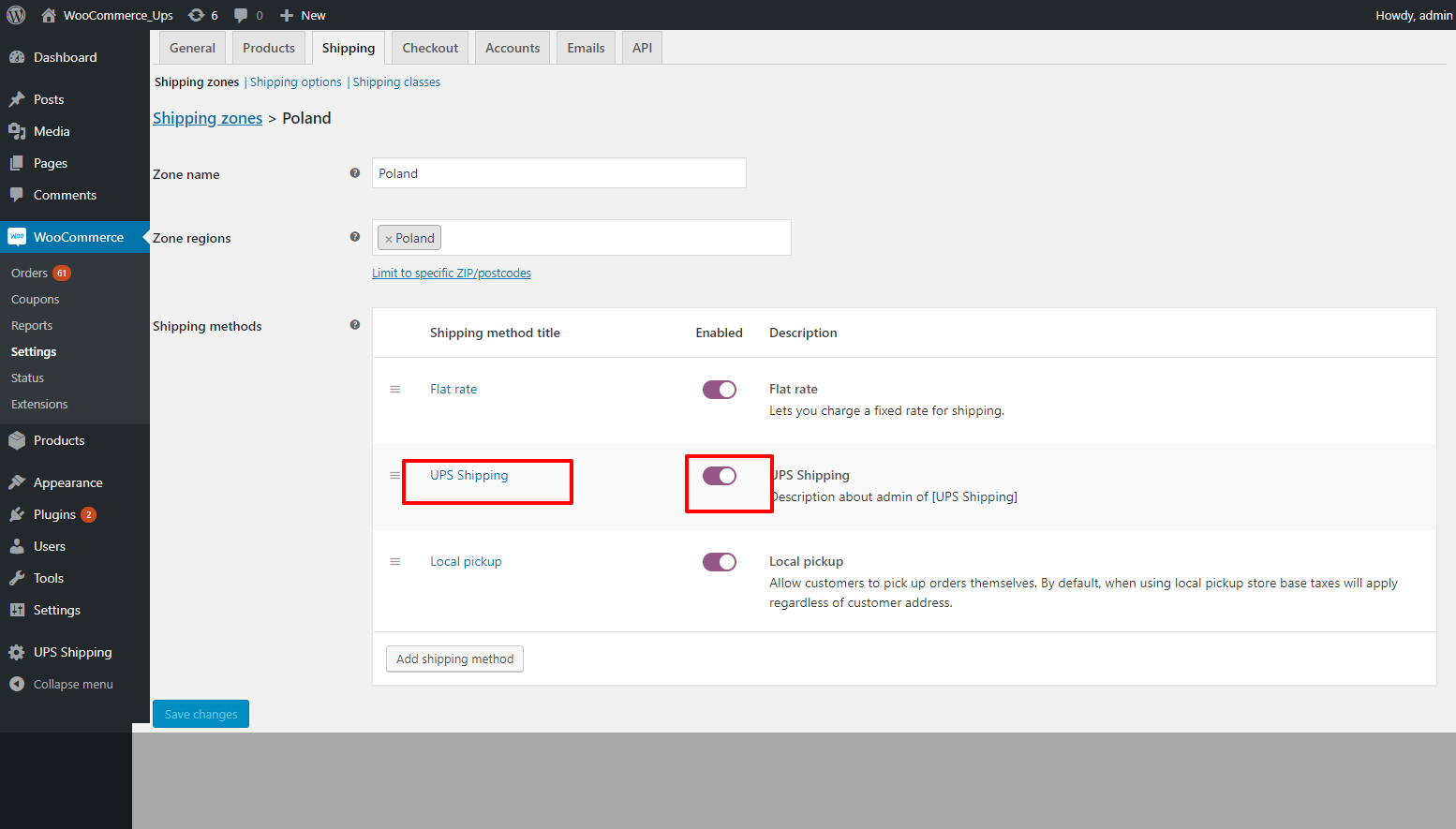
2. Desactive el plugin de envío UPS en la interfaz frontal.
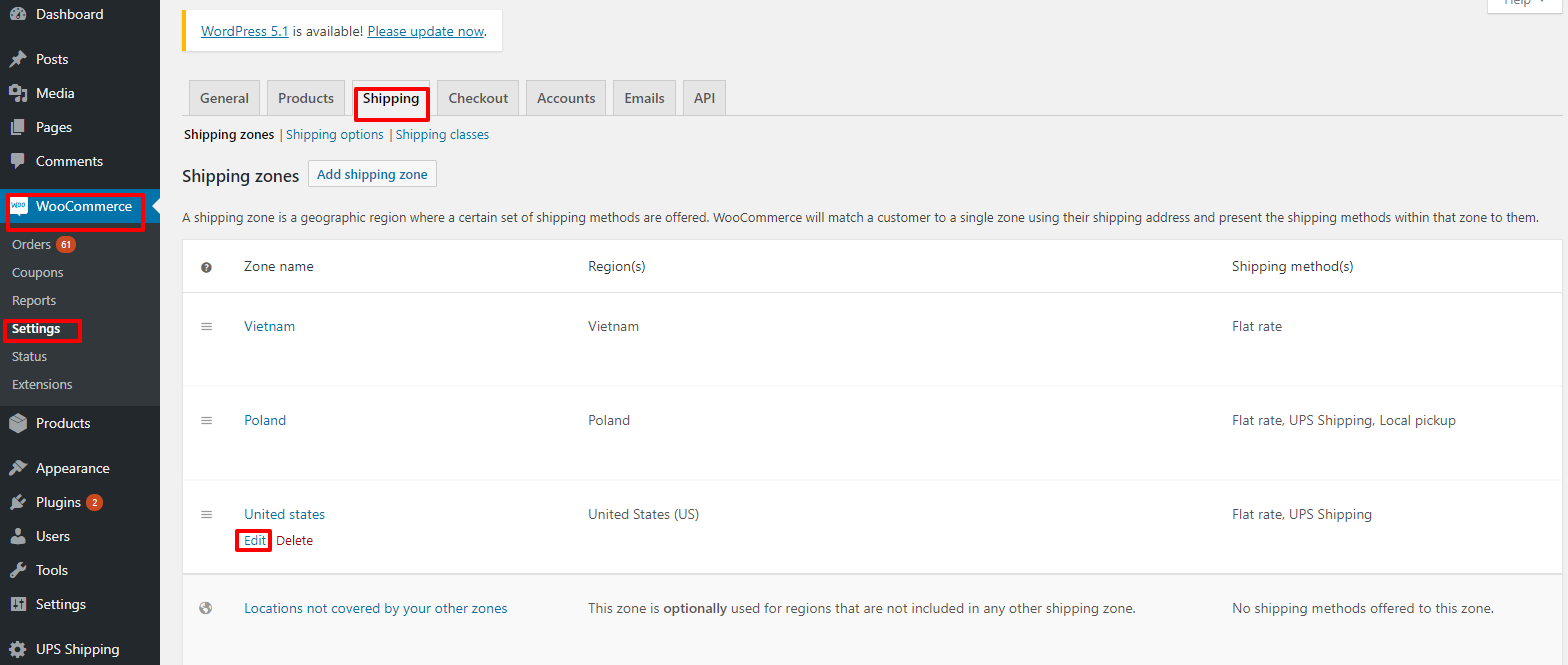
• Go to "WooCommerce" -> "Setting" -> "Shipping" -> "Edit" by zone name. Figure 22 – Edit by zone name Figure 23 – Activate plugin

2
3. Desinstale el plugin de envío UPS.
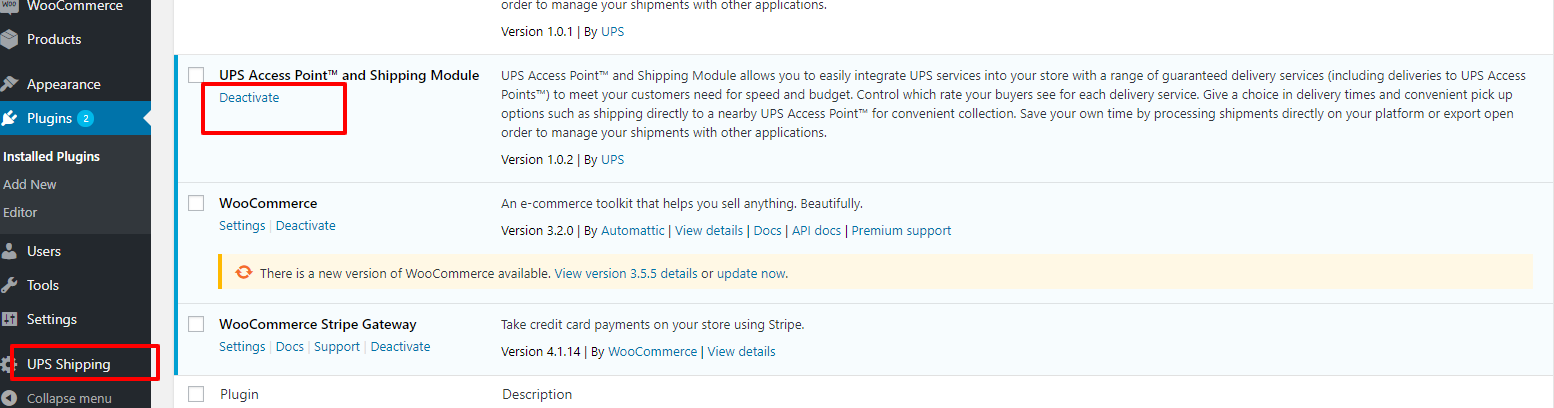
Login to the WordPress system, go to the plugin page, and click on "Deactivate" on the UPS Shipping plugin.
2.1
Login to the WordPress system, go to the plugin page, and click on "Deactivate" on the UPS Shipping
Login to the WordPress system, go to the plugin page, and click on "Deactivate" on the UPS Shipping plugin.
2.2
Then click “Delete”
Then click “Delete”