6. Configuración de Longitud, Ancho y Altura para el Producto
Configuración de Longitud, Ancho y Altura para el Producto. Guía paso a paso para comerciantes de comercio electrónico.
Guía paso a paso
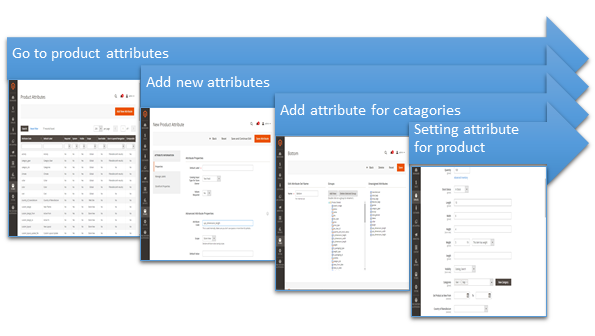
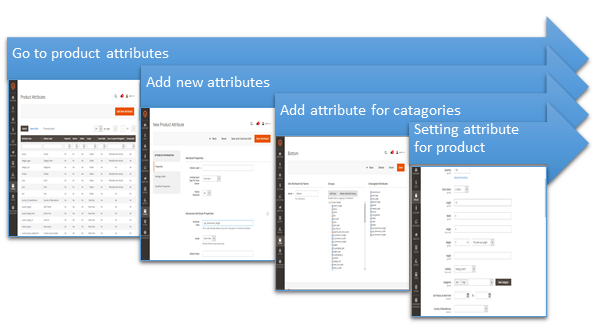
1. Ir a atributos del producto
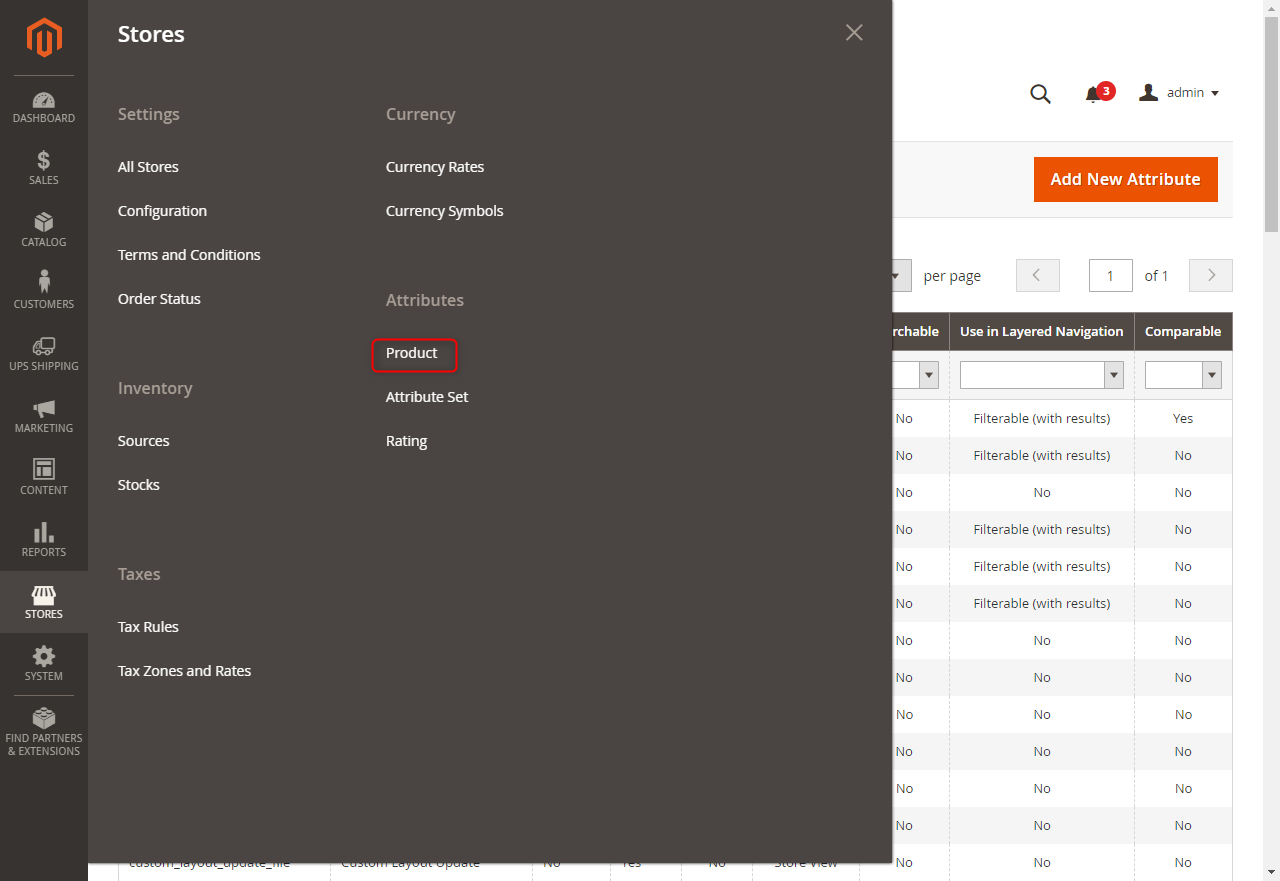
• Login Magento admin page -> Stores -> Attributes -> Product Figure 57 - Go to product attributes
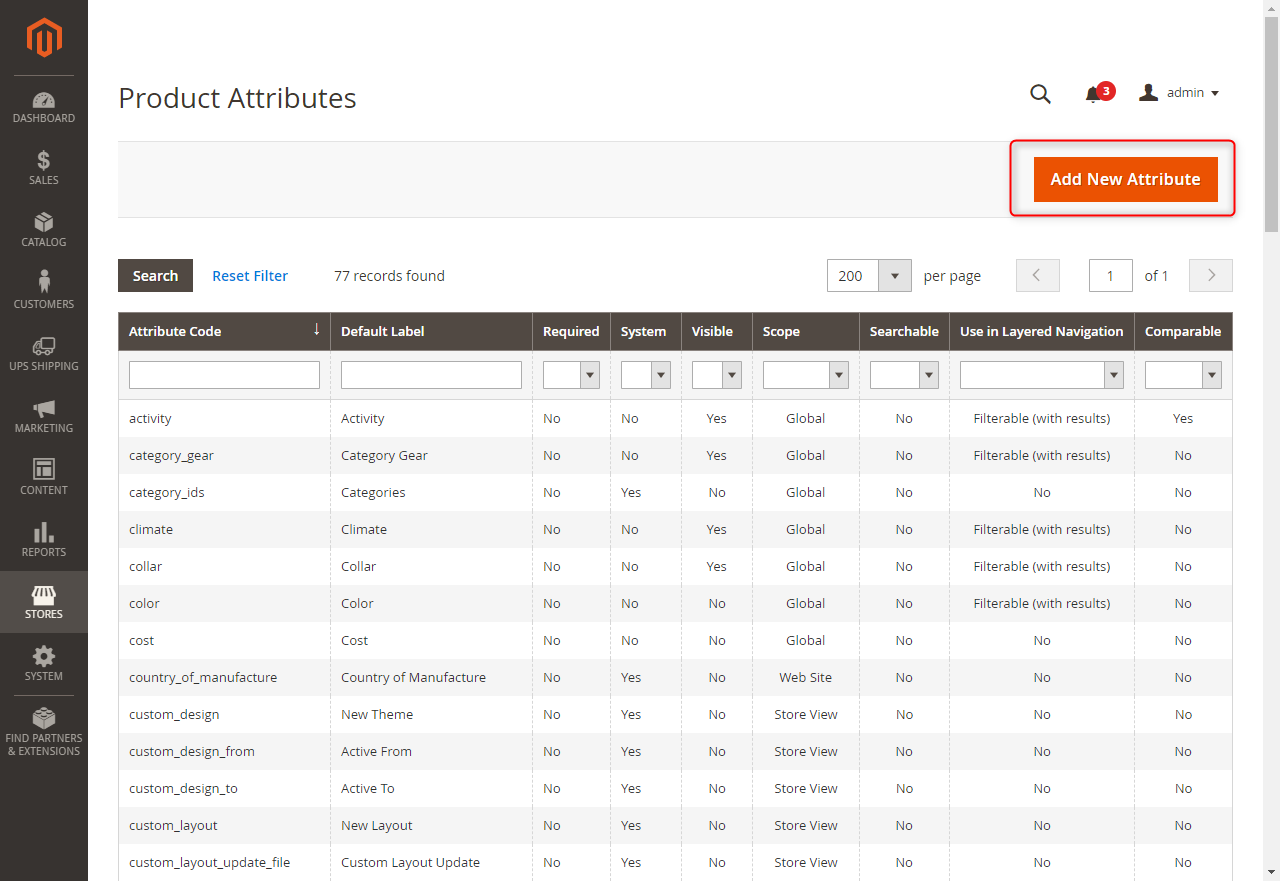
2. Agregar nuevos atributos
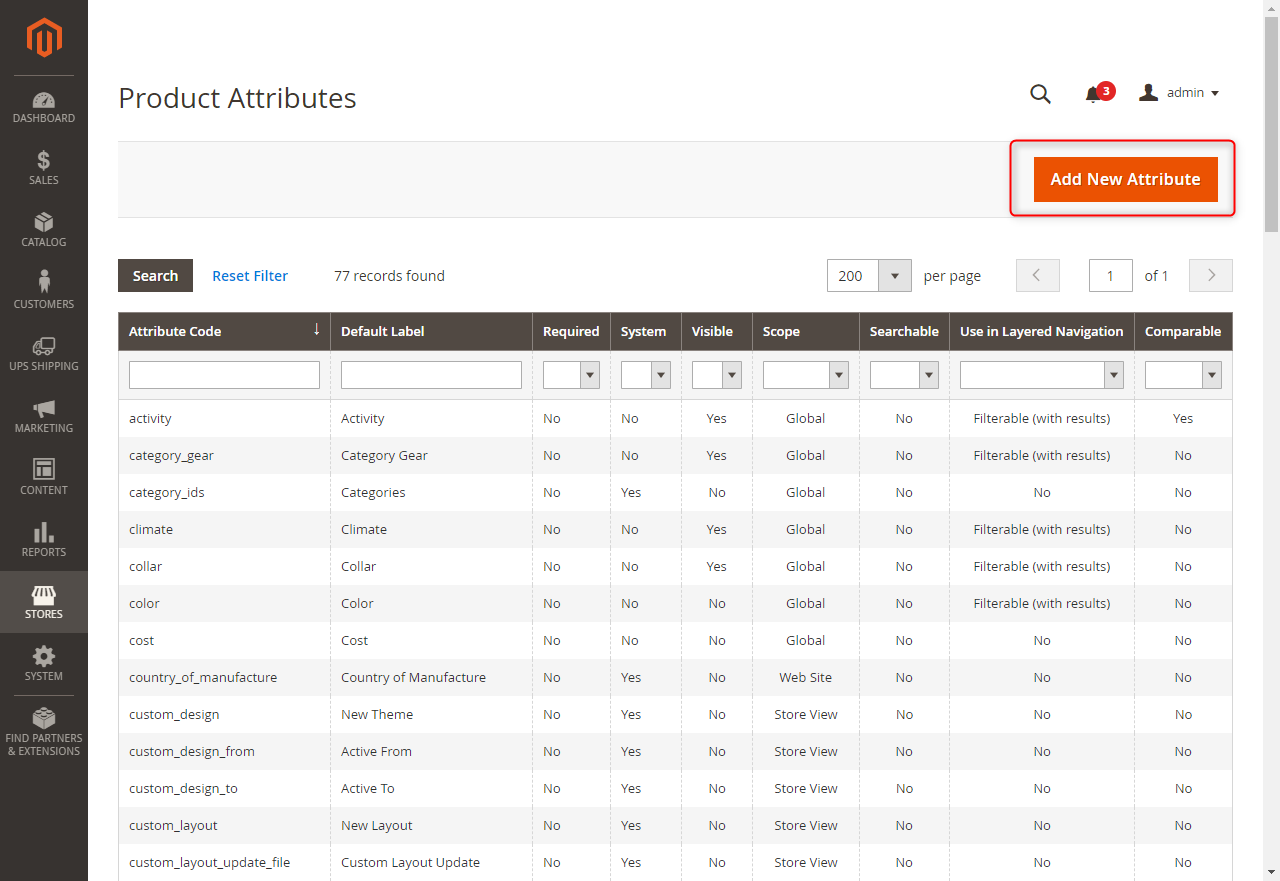
Click Add New Attributes button
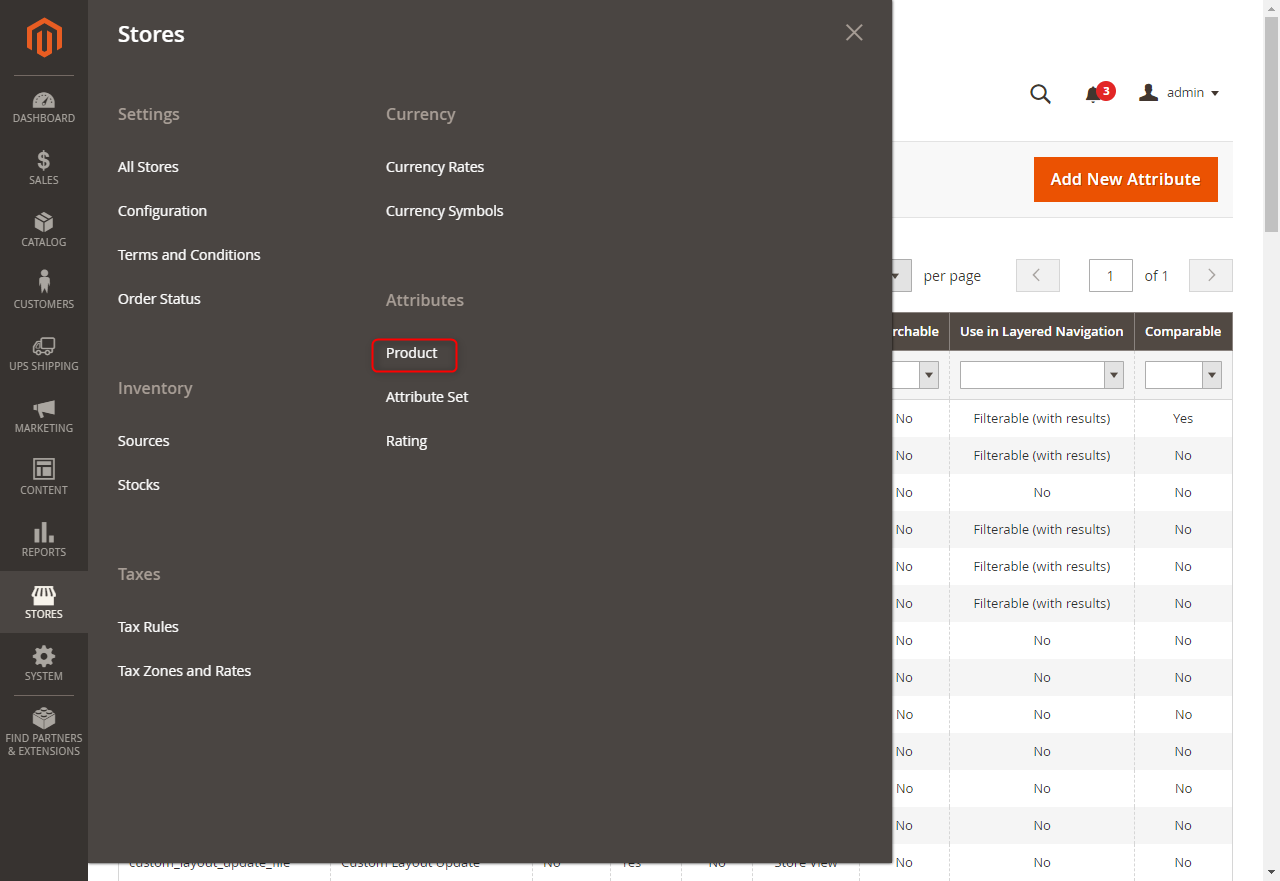
Click Add New Attributes button
Click Add New Attributes button
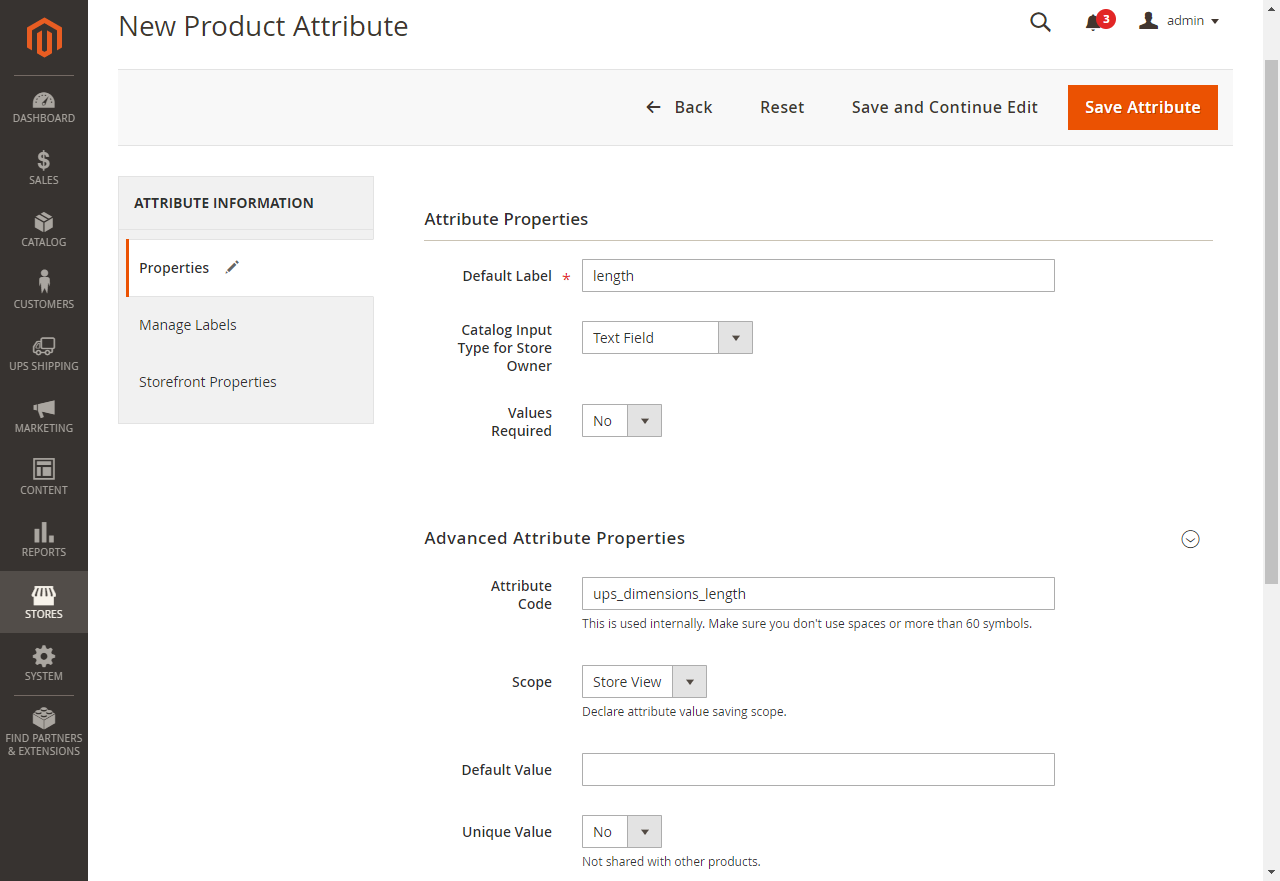
Input valid value for "Default Label" field.
Input valid value for "Default Label" field.
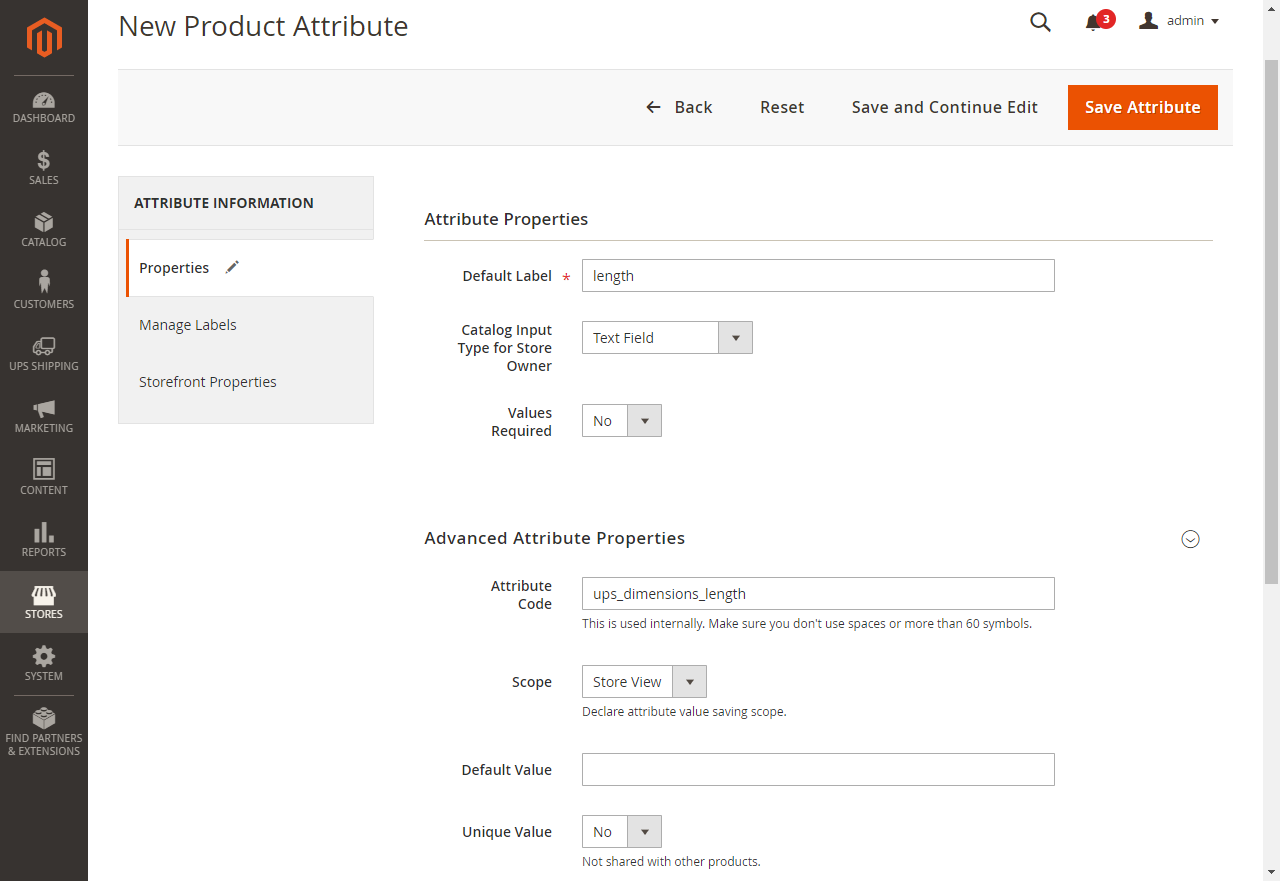
Input "ups_dimensions_length" for "Attribute Code" field
Input "ups_dimensions_length" for "Attribute Code" field
Click "Save Attribute" button
Click "Save Attribute" button
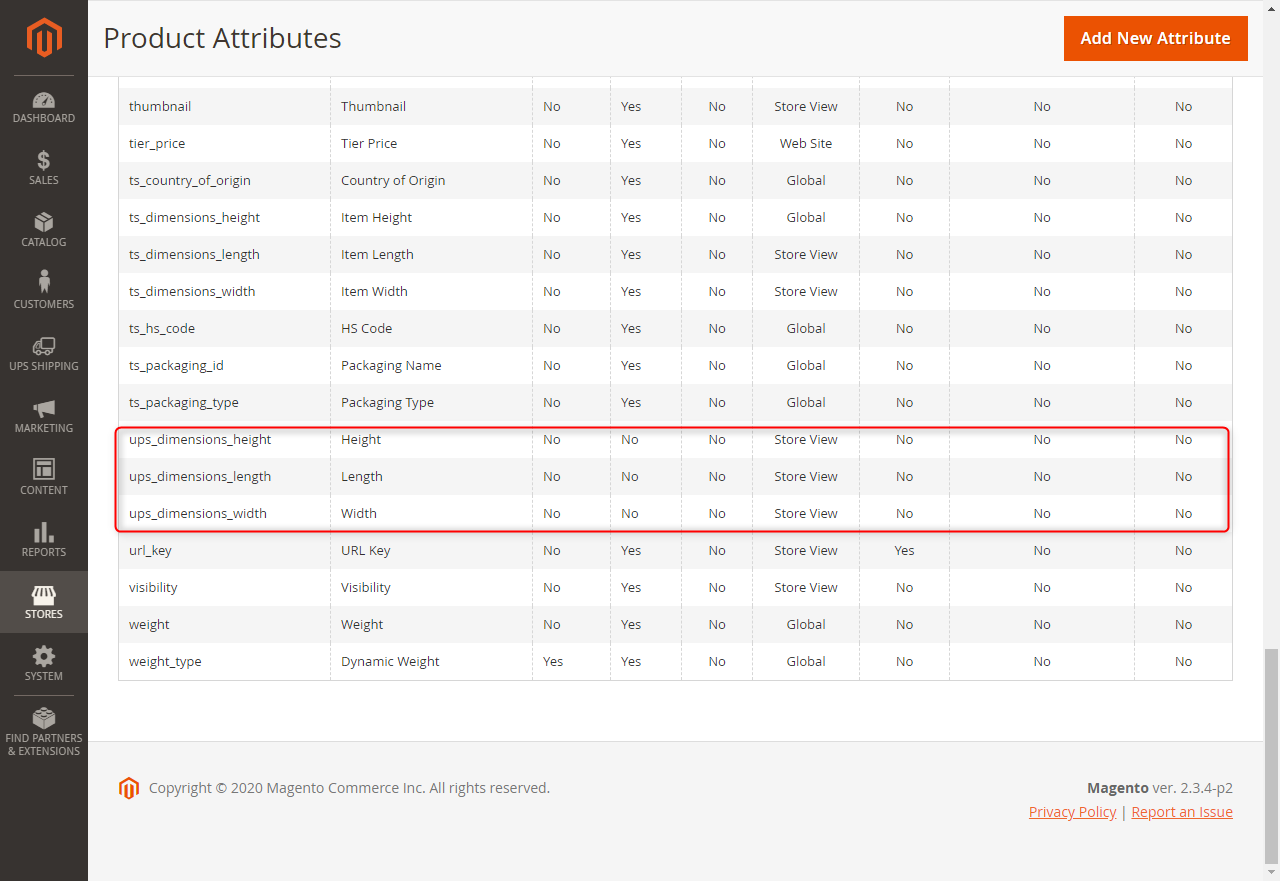
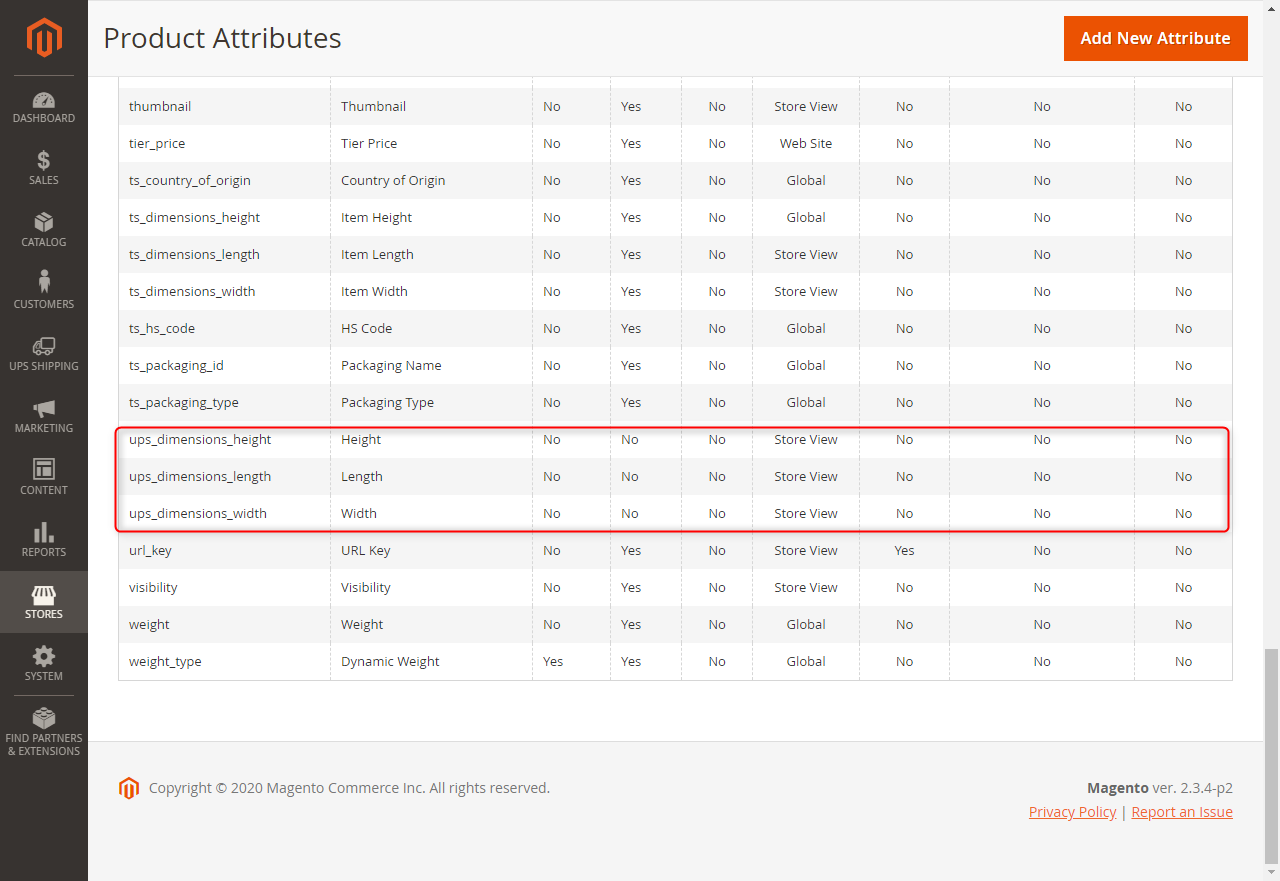
Do same step with ups_dimensions_width and ups_dimensions_height
Do same step with ups_dimensions_width and ups_dimensions_height
3. Agregar atributos para categorías
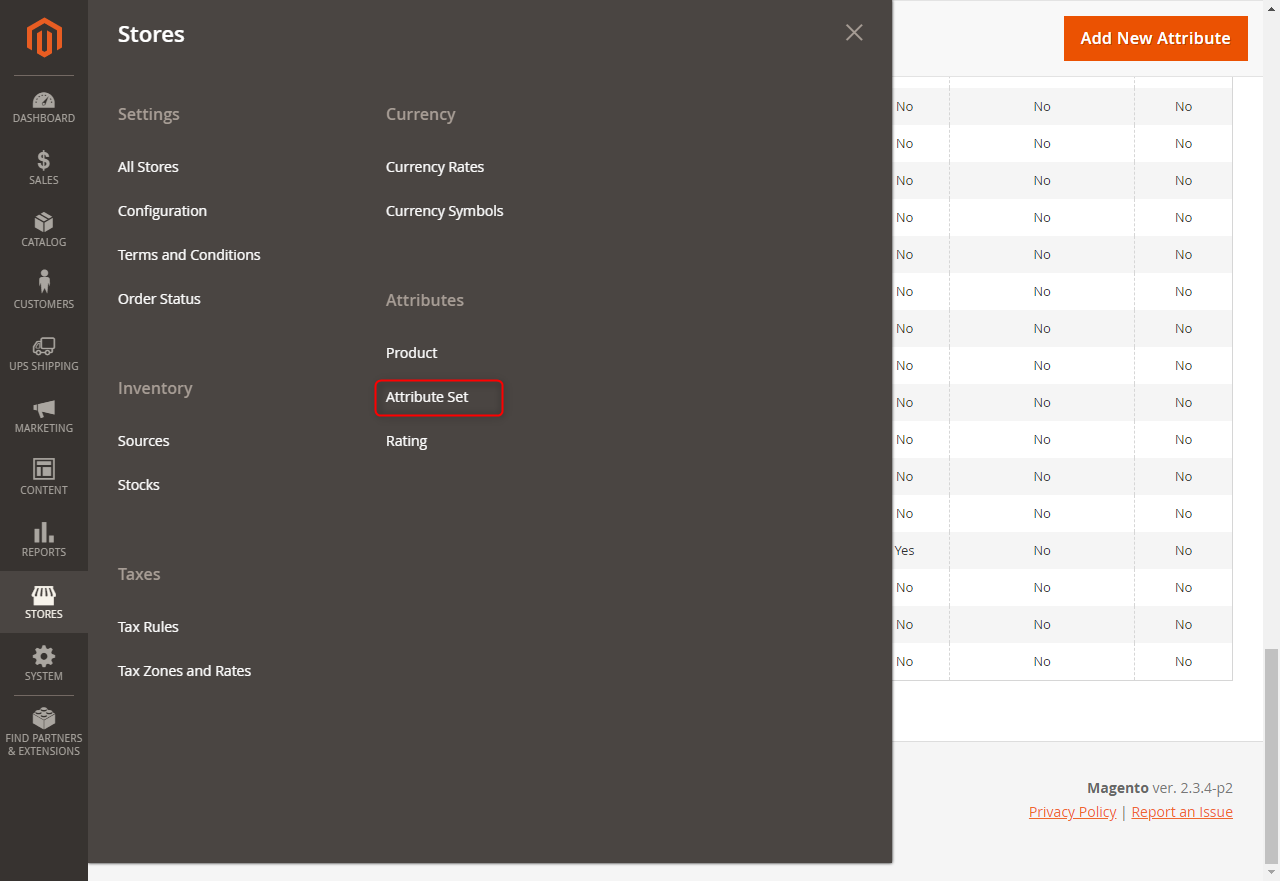
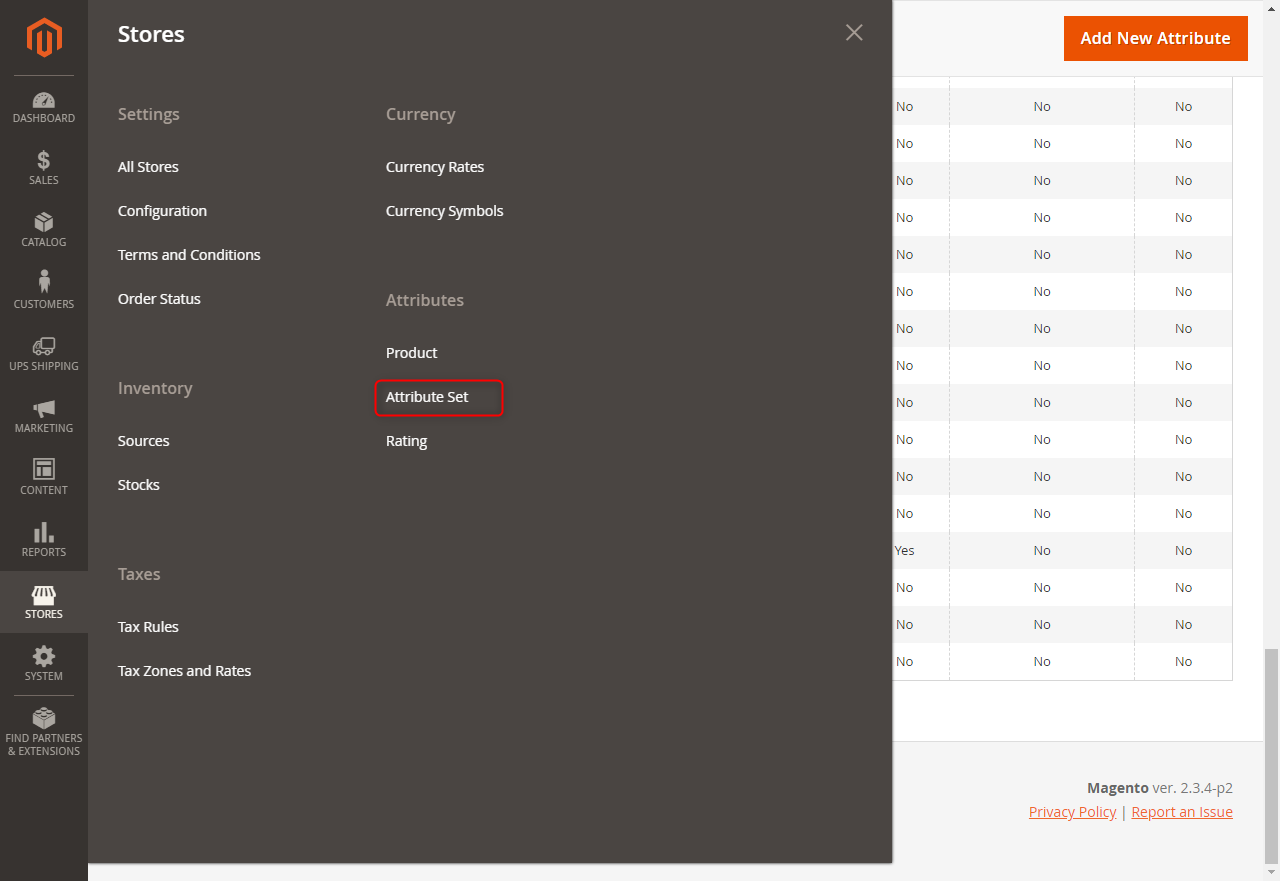
Go to Stores -> Attributes -> Attributes Set
Go to Stores -> Attributes -> Attributes Set
Go to Stores -> Attributes -> Attributes Set
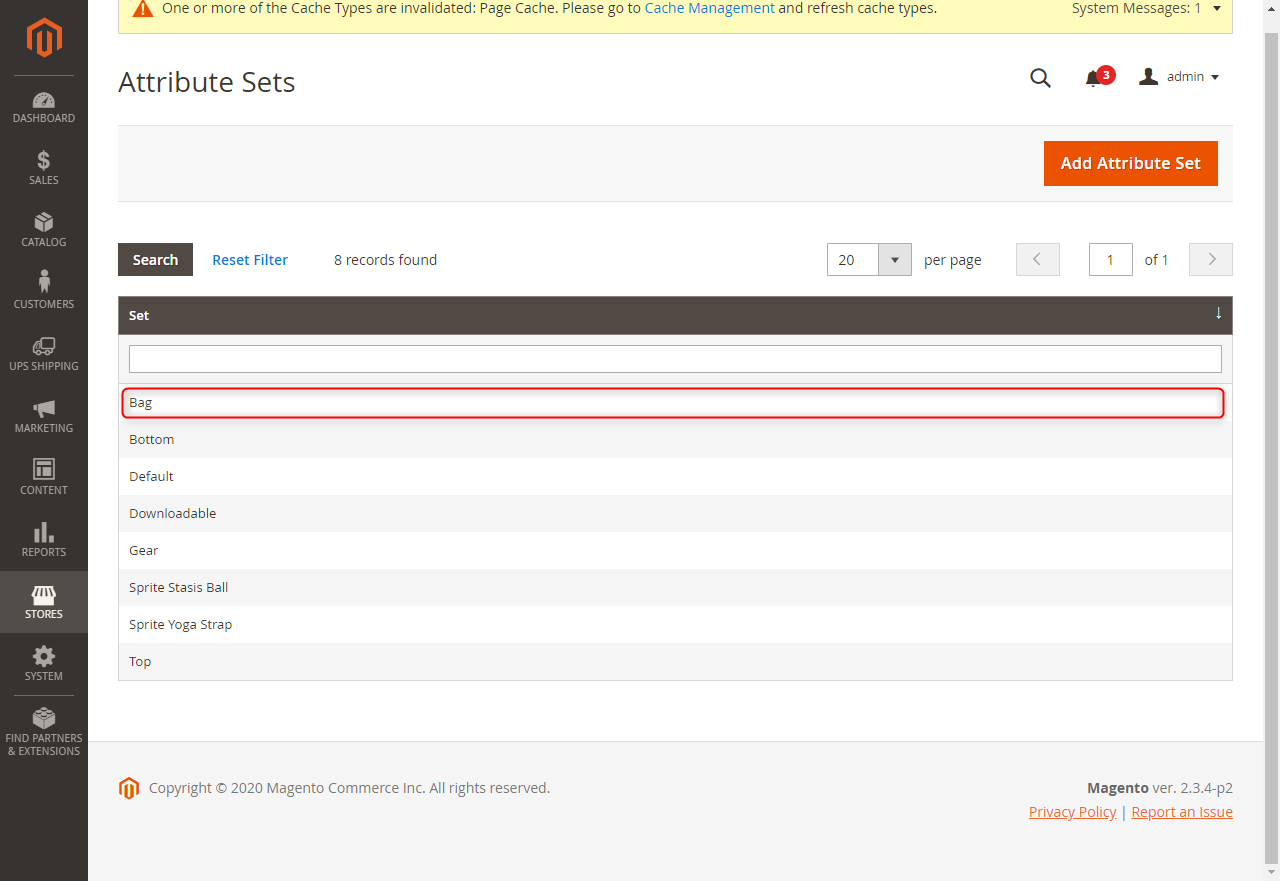
Click first Categories
Click first Categories
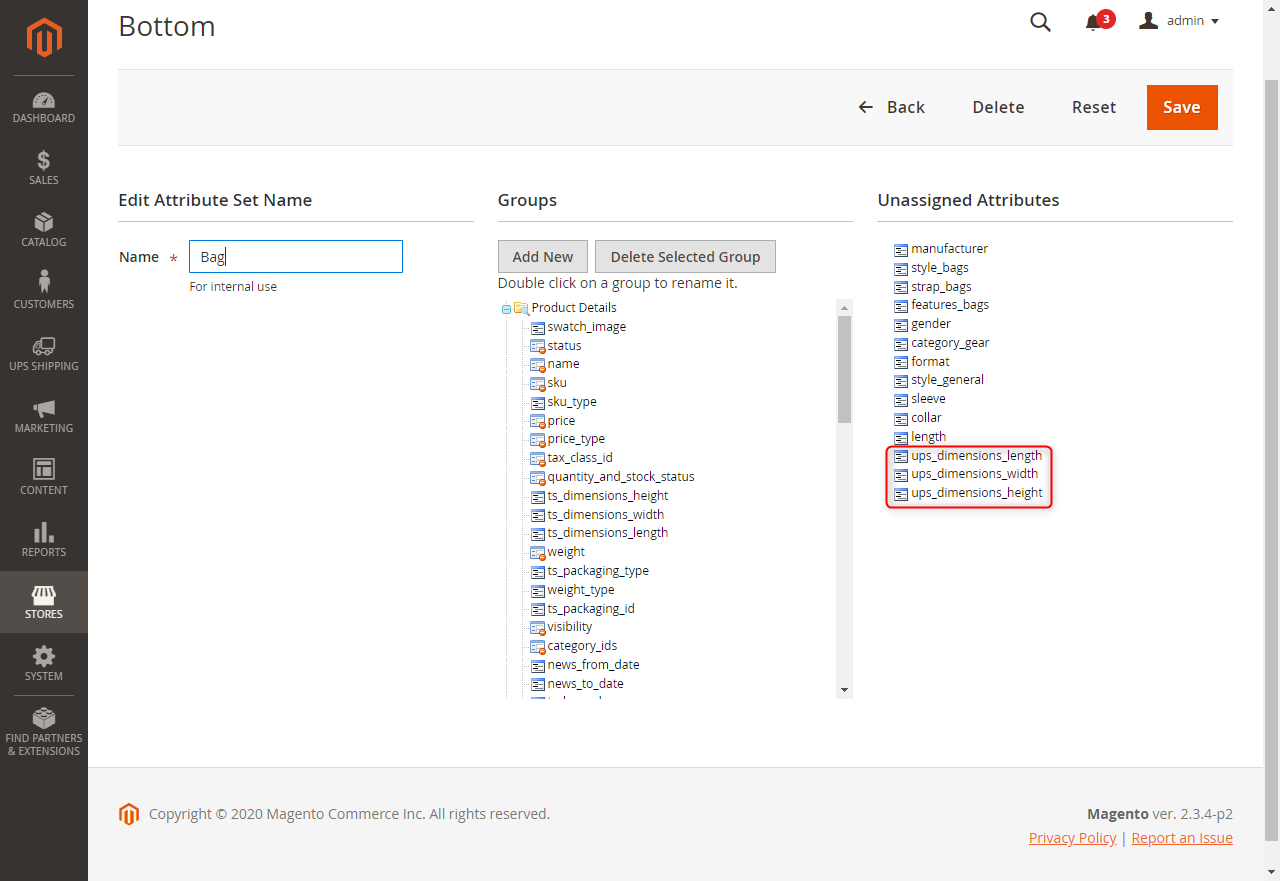
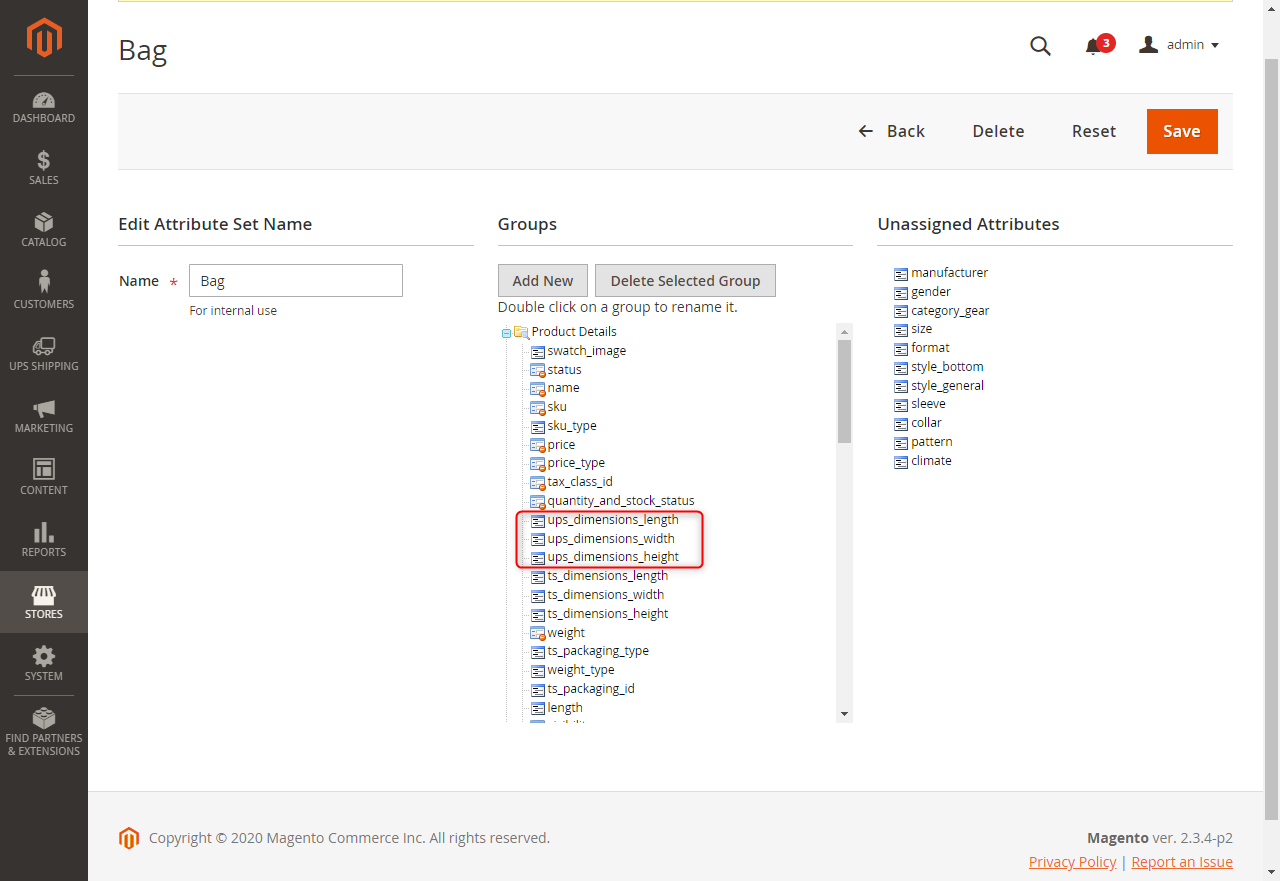
Drag 3 attributes ups_dimensions_length, ups_dimensions_width, ups_dimensions_height from "Unassigne
Drag 3 attributes ups_dimensions_length, ups_dimensions_width, ups_dimensions_height from "Unassigned Attributes" to "Groups"
Click “Save” button
Click “Save” button
Same do step with another categories
Same do step with another categories
4. Configuración de atributos para el producto
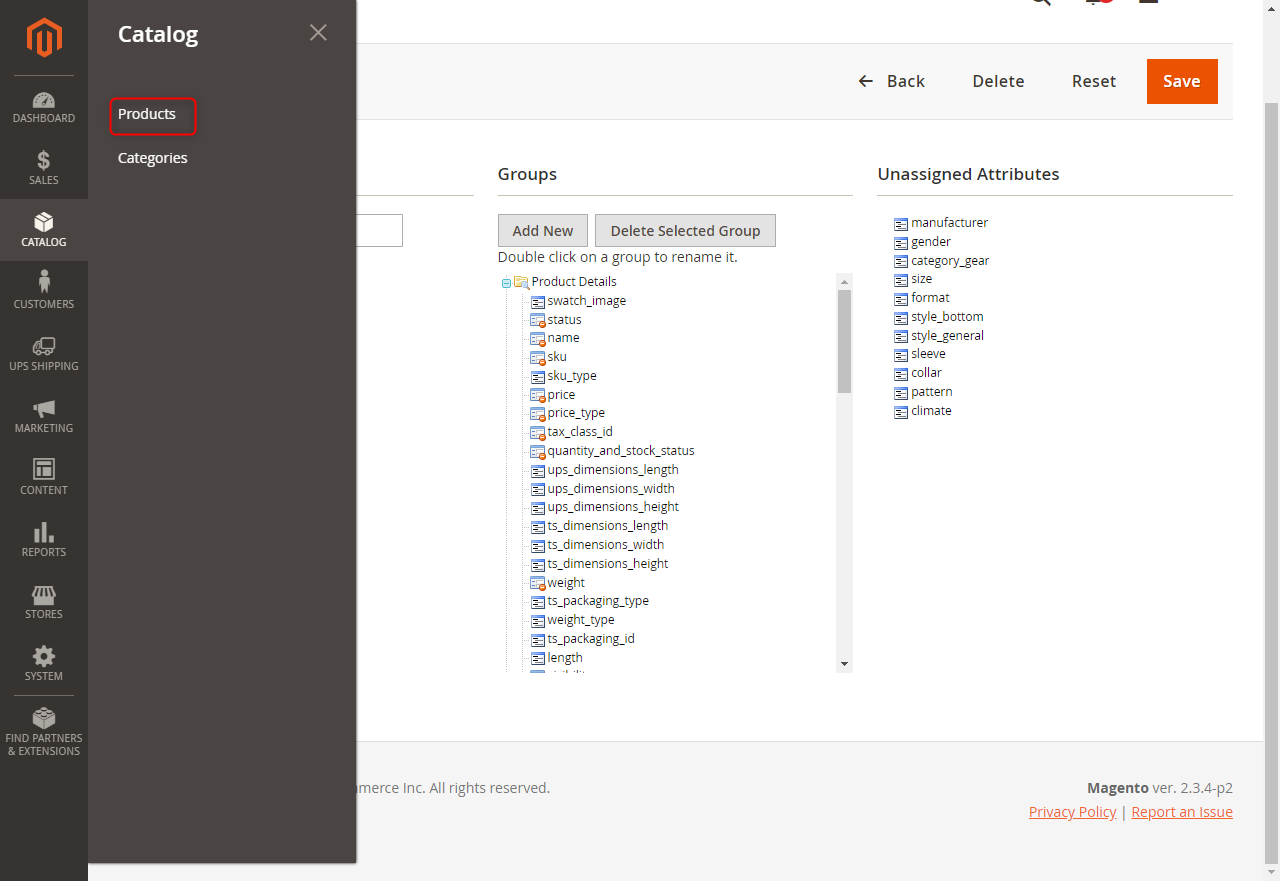
Go to Catalog -> Products
Go to Catalog -> Products
Go to Catalog -> Products
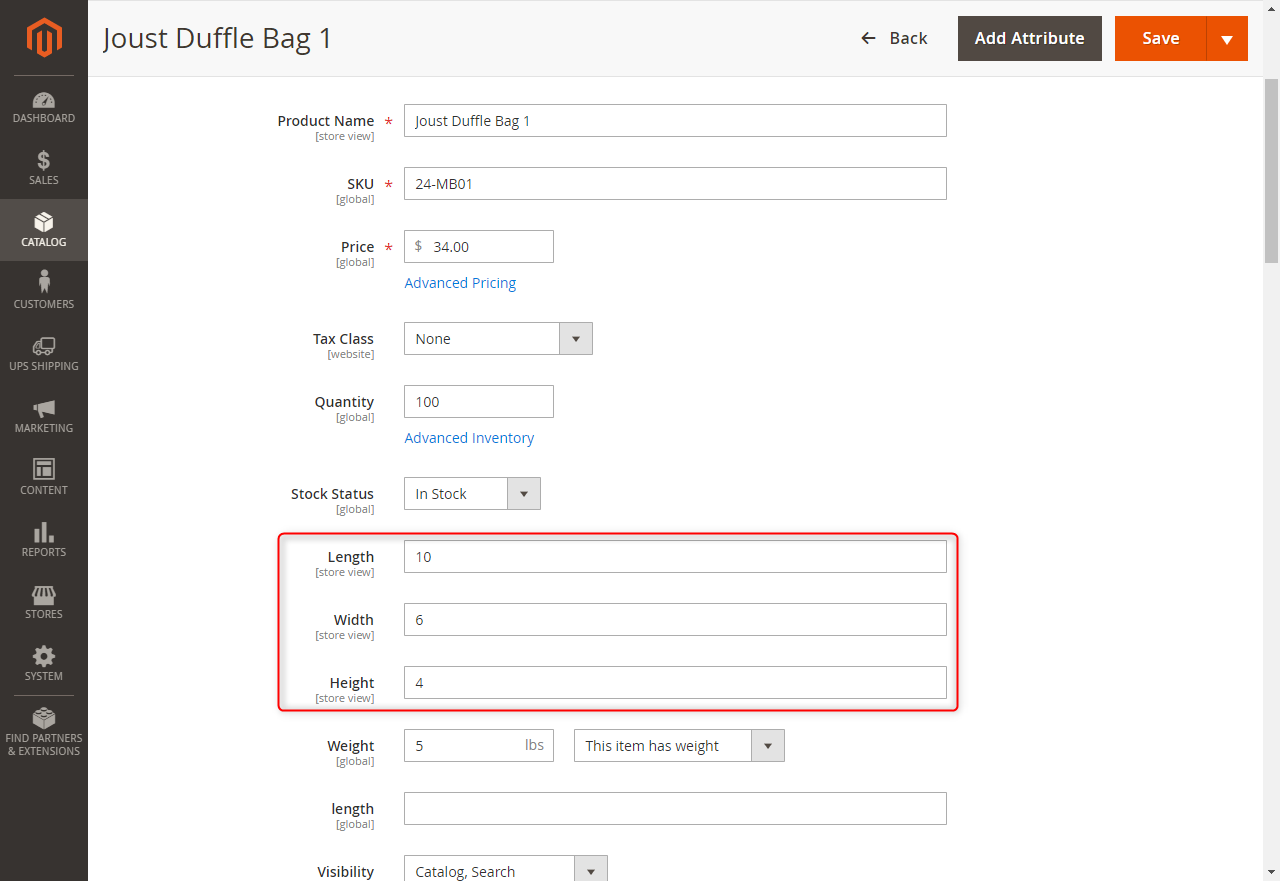
Choose 1 product and setting length, width, height.
Choose 1 product and setting length, width, height.
Click “Save” button
Click “Save” button
Unit of length, width, and height dependent unit of weight. If unit of weight is lbs, unit of length
Unit of length, width, and height dependent unit of weight. If unit of weight is lbs, unit of length, width, and height will be inch. If unit of weight is kg, unit of length, width, and height will be cm.
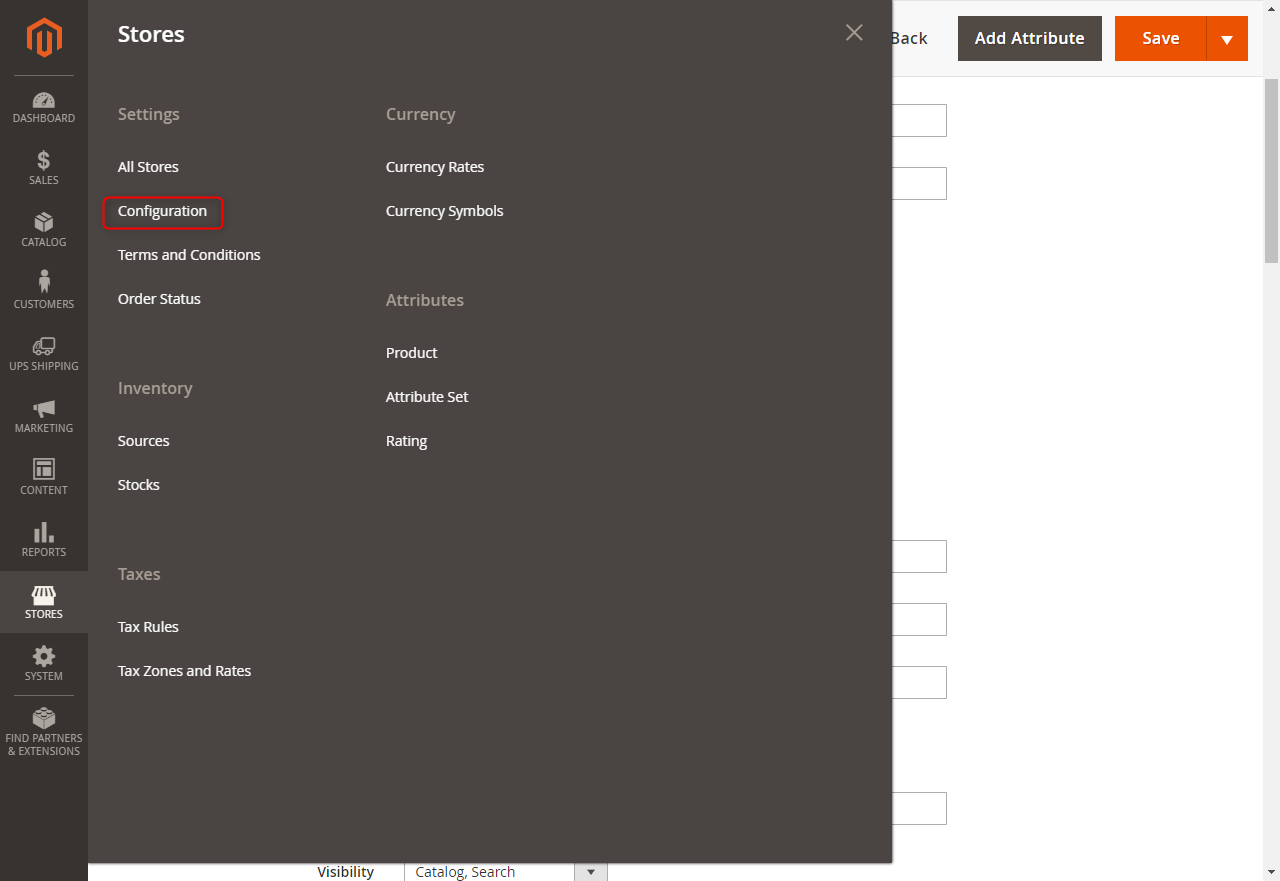
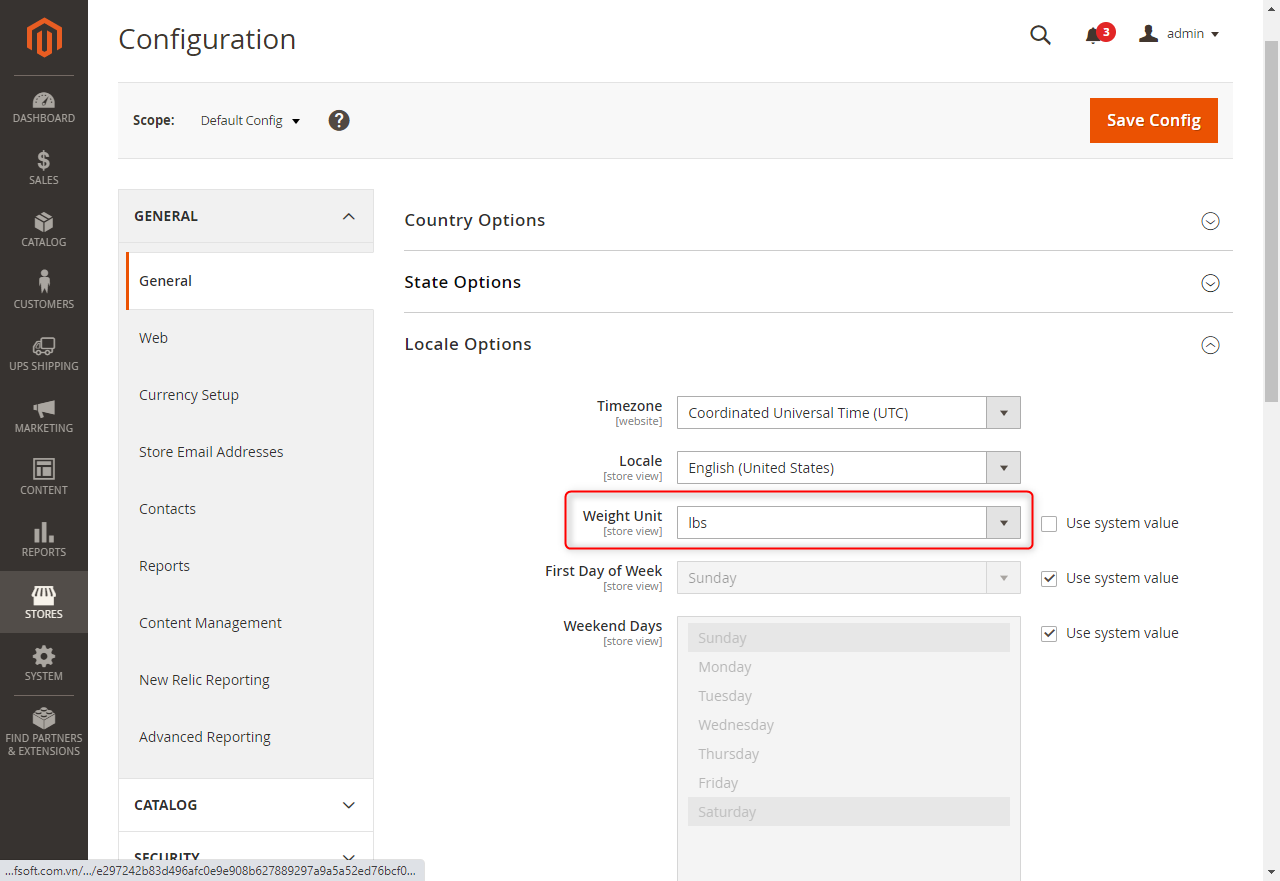
You can go to Stores -> Settings -> Configuration -> General -> General -> Locale Options -> Weight
You can go to Stores -> Settings -> Configuration -> General -> General -> Locale Options -> Weight Unit for setting unit of weight.